

How Much Does Digital Signage Cost?
Digital signage has two separate cost lines: the software that manages your screens and the hardware that plays your content. On CloudyFy TV the software runs ₹550 to ₹1,500 ($7 to $20)$7 to $20 (₹550 to ₹1,500) per device a month, and the plans pair up to 25, 50 and 100 devices, while the hardware ranges from about $50 for a streaming stick to several hundred dollars for a commercial-grade display.
Key takeaways
Key Takeaways
- CloudyFy TV's three self-serve plans cost ₹550, ₹1,000 and ₹1,500 ($7, $12 and $20)$7, $12 and $20 (₹550, ₹1,000 and ₹1,500) per device a month, with device ceilings of 25, 50 and 100. Indian prices are shown before GST, which is added at checkout.
- Yearly billing is 10x the monthly price on every plan, which works out to two months free against paying monthly.
- Hardware is the cost that actually scales with screen count: a Fire TV Stick 4K Max runs about $50-60, a wall-mounted tablet costs more, and a commercial display or dedicated media player costs more again.
- AI credits (100, 250 or 500 a month depending on plan) and 5 to 25 GB of media storage per device, pooled across your screens, are included with the plan, not billed as add-ons.
- The 7-day free trial provisions the plan you pick, Starter by default, with no commitment.
What does digital signage cost in 2026?
For one screen, budget ₹550 or $7$7 or ₹550 per device a month in software (CloudyFy TV Starter) plus a one-time hardware cost of roughly $50 to $60 if you use a streaming stick and a TV you already own. For a 25-device rollout across a small chain, the software line is ₹13,750 or $175$175 or ₹13,750 a month, Starter's per-device rate up to its 25-device ceiling; hardware is the cost that multiplies by device count too, on top of the subscription. Move past 25 devices and the next plan, Standard at ₹1,000 ($12)$12 (₹1,000) per device a month, raises both the rate and the ceiling to 50 devices. At 100 devices, Pro is ₹1,500 ($20)$20 (₹1,500) per device a month. Past 100 devices, Enterprise is a contact-sales conversation with no published price, because device counts and storage at that scale are negotiated per account.
Every plan bills per device, the same mechanism most of the category uses. The difference is the rate: ₹550 or $7$7 or ₹550 per device a month on Starter is below what several per-screen competitors in this category charge for a single display, so the gap compounds in CloudyFy TV's favor as a fleet grows.
Why digital signage costs what it does: software vs hardware
The software side pays for the parts that do not show up as a line item on an invoice but are the reason a screen keeps working: a browser-based layout canvas with drag-and-drop blocks, a media library with automatic deduplication so the same video is not stored twice, a scheduling engine that handles dayparting and one-off overrides, a publish wizard that checks every device is actually ready before content goes live, and offline-first players that keep showing the last-published content if the network drops. All of that ships on every plan, including Starter.
The hardware side is where the real budget variation sits, and it depends on what you already have. A business replacing paper menu boards with a screen and a $50 streaming stick spends far less upfront than one buying a 55-inch commercial display rated for 24-hour operation. Both run the same CloudyFy TV software; the difference is entirely in the box or panel doing the playing.
Two independent sources put the category's growth and value in context. MarketsAndMarkets projects the global digital signage market to grow from USD 21.45 billion in 2025 to USD 28.88 billion by 2030, a 6.1% compound annual growth rate [MarketsAndMarkets, report dated 21 Jan 2026]. On the value side, a 2026 field experiment published in the Journal of Marketing found that digital signage video ads increased the purchase probability of the featured product by 8.1% on average, with a stronger lift for hedonic and novel products and on weekends [Herhausen, de Jong & Grewal, Journal of Marketing 90(3), 2026]. Read together, the category is growing because the underlying mechanism, changing what a screen shows without printing anything new, measurably moves what people buy.
What changes the price: devices, storage and AI credits
Three variables move the monthly software cost, and none of them is the number of locations you operate:
- Device count. Starter has a ceiling of 25 devices, Standard 50, Pro 100. A device is any screen, tablet or player paired to your account, regardless of which building it sits in.
- Storage. 5 GB on Starter, 10 GB on Standard, 25 GB on Pro, per device and pooled across your screens, all included with the plan. A typical 1080p signage video runs a few hundred MB, so a five-screen Starter site, pooling 25 GB, comfortably holds a rotating library for a single-location business. The other size limits are per layout and per file: 250 MB, 500 MB or 1,000 MB of total media in one layout, and a largest single video of 250 MB, 500 MB or 1,024 MB.
- AI credits. Starter includes 100 AI credits per device a month, Standard 250, Pro 500, so a ten-screen Starter fleet draws 1,000 a month. Credits refresh every month and do not carry over, and a layout is quoted before it runs at 8 credits for a text-only screen, one round of ad copy costs 5, a schedule suggestion costs 10, a 30-second music loop costs 8, and an image costs 9 to 31 credits by the resolution it renders at.
Bandwidth does not need its own line item to budget for: it is pooled per device and scales with the plan, 10 GB on Starter, 25 GB on Standard, 50 GB on Pro, and Enterprise is sized to your estate instead of capped. It is enforced when you publish, not on delivery, so screens already playing are never interrupted. If you exceed your monthly AI credits, generation simply pauses with a prompt to buy more, never a surprise line on your bill; top-up packs run 500 credits for ₹500 ($5)$5 (₹500), 1,250 for ₹1,000 ($10)$10 (₹1,000) and 3,000 for ₹2,000 ($20)$20 (₹2,000), and purchased credits never expire.
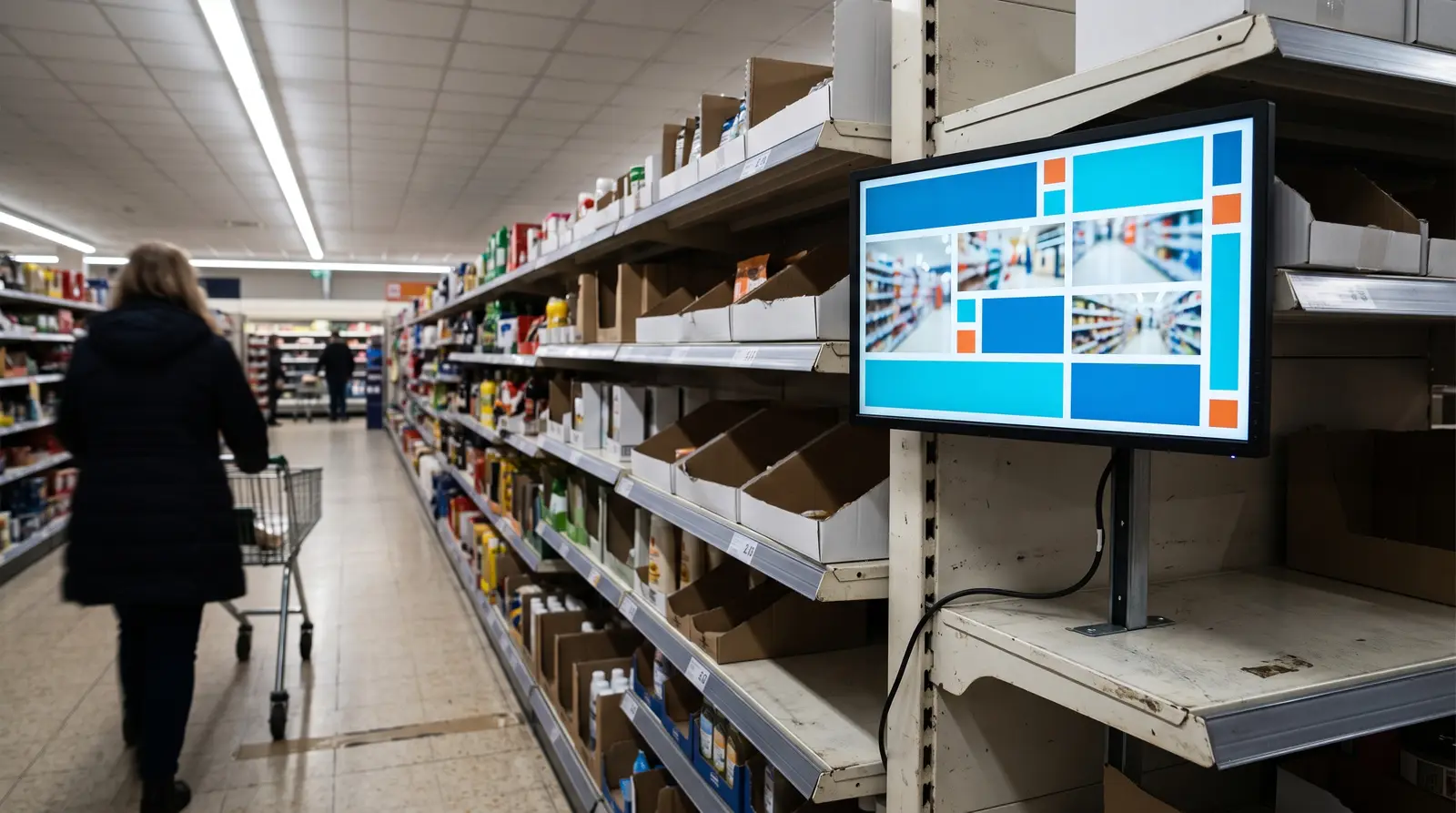
Comparison table: four ways to put a screen to work
The hardware decision is really a choice between four approaches, and they are not mutually exclusive; most CloudyFy TV accounts run more than one at once.
| Capability | Hardware cost | Duty rating | Setup effort | Best for | CloudyFy TV plan fit |
|---|---|---|---|---|---|
Streaming stick + existing TV | ~$50-60 for a Fire TV Stick 4K Max; reuses a TV you already own [Yodeck, 2026] | Consumer-rated; a weekly reboot habit is recommended | Sideload the player APK, pair with a code, mount behind the screen | A single screen, a reception desk, or a fast pilot before committing further | Starter, ₹550/mo or $7/mo$7/mo or ₹550/mo, 25 devices |
Wall-mounted Android tablet | Tablet plus a mounting bracket; price depends on the tablet you choose | Consumer-rated | Sideload the same player APK, mount in landscape or portrait | Counter displays, token and queue screens, small footprints where a full TV is overkill | Starter or Standard |
Commercial display with a built-in signage OS | Higher upfront cost than a stick, priced by screen size and brightness rather than a flat figure (Samsung QM, LG UH5F, Sony BRAVIA Professional, Philips D-Line, NEC MultiSync all fit this tier) [Rise Vision, 2026] | Built for 16 to 24-hour continuous duty | No external box: CloudyFy TV's own Tizen or webOS player installs directly on the panel | Lobbies, storefronts and any screen that runs every business hour, every day | Standard or Pro depending on how many panels |
Video wall (grid of screens) | Multiple displays plus one player per tile, each tile using one device seat, plus the video wall add-on | Matches the duty rating of whichever player drives each tile | CMS grid designer, millimetre bezel calibration, coordinated switching | Feature walls in lobbies, retail windows and control rooms | Pro or Enterprise, plus the video wall entitlement |
Streaming stick + existing TV
- Hardware cost
- ~$50-60 for a Fire TV Stick 4K Max; reuses a TV you already own [Yodeck, 2026]
- Duty rating
- Consumer-rated; a weekly reboot habit is recommended
- Setup effort
- Sideload the player APK, pair with a code, mount behind the screen
- Best for
- A single screen, a reception desk, or a fast pilot before committing further
- CloudyFy TV plan fit
- Starter, ₹550/mo or $7/mo$7/mo or ₹550/mo, 25 devices
Wall-mounted Android tablet
- Hardware cost
- Tablet plus a mounting bracket; price depends on the tablet you choose
- Duty rating
- Consumer-rated
- Setup effort
- Sideload the same player APK, mount in landscape or portrait
- Best for
- Counter displays, token and queue screens, small footprints where a full TV is overkill
- CloudyFy TV plan fit
- Starter or Standard
Commercial display with a built-in signage OS
- Hardware cost
- Higher upfront cost than a stick, priced by screen size and brightness rather than a flat figure (Samsung QM, LG UH5F, Sony BRAVIA Professional, Philips D-Line, NEC MultiSync all fit this tier) [Rise Vision, 2026]
- Duty rating
- Built for 16 to 24-hour continuous duty
- Setup effort
- No external box: CloudyFy TV's own Tizen or webOS player installs directly on the panel
- Best for
- Lobbies, storefronts and any screen that runs every business hour, every day
- CloudyFy TV plan fit
- Standard or Pro depending on how many panels
Video wall (grid of screens)
- Hardware cost
- Multiple displays plus one player per tile, each tile using one device seat, plus the video wall add-on
- Duty rating
- Matches the duty rating of whichever player drives each tile
- Setup effort
- CMS grid designer, millimetre bezel calibration, coordinated switching
- Best for
- Feature walls in lobbies, retail windows and control rooms
- CloudyFy TV plan fit
- Pro or Enterprise, plus the video wall entitlement
As a point of reference for what a dedicated signage media player costs elsewhere in the category, OptiSigns publishes a three-tier hardware ladder at $99.99, $349 and $799 depending on duty cycle and resolution, sold direct in the US, Canada, UK, Germany and Australia [OptiSigns hardware page, 2026]. CloudyFy TV does not sell or require its own branded player; the cost comparison above is about what you plug in, not a CloudyFy TV hardware SKU.
How to estimate your total cost
Count your screens
Add up every TV, tablet or panel you want running content today, then round up to the plan tier that covers it: 25 or fewer is Starter, up to 50 is Standard, up to 100 is Pro.Price the hardware you don't already own
For a bare wall or a new location, budget roughly $50-60 per screen for a Fire TV Stick 4K Max and TV, more for a wall-mounted tablet, and more again for a commercial display with a built-in OS.Add the software line
Multiply the plan rate by your device count: on Starter a 10-device rollout is ₹5,500 or $70$70 or ₹5,500 a month and a 25-device rollout is ₹13,750 or $175$175 or ₹13,750.Decide monthly or yearly
Yearly billing is 10x the monthly rate on every plan, so paying annually returns two months free compared with paying month to month.Leave room for AI credits and storage
If you expect to lean on AI Layout Generation or AI Image Generation heavily, or you store a lot of video, size up a tier before you hit the cap rather than after.
A worked example: a 12-screen restaurant chain replacing paper menu boards picks Standard (₹1,000/mo or $12/mo$12/mo or ₹1,000/mo, up to 50 devices) for headroom, buys 12 Fire TV Stick 4K Max units (roughly $600-720 one-time) and reuses TVs it already owns. Total year-one cost is about ₹12,000 or $144$144 or ₹12,000 in software plus roughly $650 in hardware, with 250 AI credits per device a month to generate seasonal menu artwork without hiring a designer.
DIY hardware vs a commercial display: which is cheaper long term?
A $50 streaming stick
A $50 streaming stick is the cheapest way to get a screen running, but it is a consumer product: independent guidance converges on using the stick's own power adapter rather than a TV's USB port, allowing ventilation, and scheduling a weekly reboot, since auto-relaunch after a power blip is unreliable on newer models. CloudyFy TV restarts the player app remotely from device management (a Fire TV Stick cannot be rebooted from the console, so a smart plug covers the full power cycle), which narrows the practical gap between a stick and a purpose-built player.
A commercial display with a built-in signage OS
A commercial display with a built-in signage OS costs more upfront, but the case for it strengthens as duty cycle rises: a screen playing 16 to 24 hours a day, every day, in a lobby or storefront window, is exactly the load a stick was not designed for. If a location runs one screen for a few business hours, a stick is the cheaper and entirely adequate choice. If a location runs several screens around the clock, the commercial-display premium buys fewer replacements and less on-site troubleshooting over the life of the deployment.
What to budget for beyond the first screen
Once the first screen is live, three optional costs tend to come up next. AI top-up packs (500 credits for ₹500 or $5$5 or ₹500, 1,250 for ₹1,000 or $10$10 or ₹1,000, 3,000 for ₹2,000 or $20$20 or ₹2,000) are worth budgeting for if a campaign season pushes past your plan's monthly credit allotment. The video wall add-on is worth pricing out if a lobby or retail window is a candidate for a multi-screen feature display rather than a single panel, since every tile in a wall consumes one device seat against your plan's device ceiling. And moving from monthly to yearly billing, once you are confident in your screen count, is the single easiest saving available: 10 months' price for 12 months of service on every plan.
FAQs
Get an exact number for your rollout
The 7-day free trial provisions the real Starter plan, so you can price your own screens before you commit to anything.