

Digital signage for hotels and hospitality groups
Run lobby welcome boards, restaurant menus, and banquet schedules from one cloud dashboard. Keep every screen playing even when the hotel's back-of-house Wi-Fi drops, and grow from one property to a multi-hotel portfolio without re-platforming.
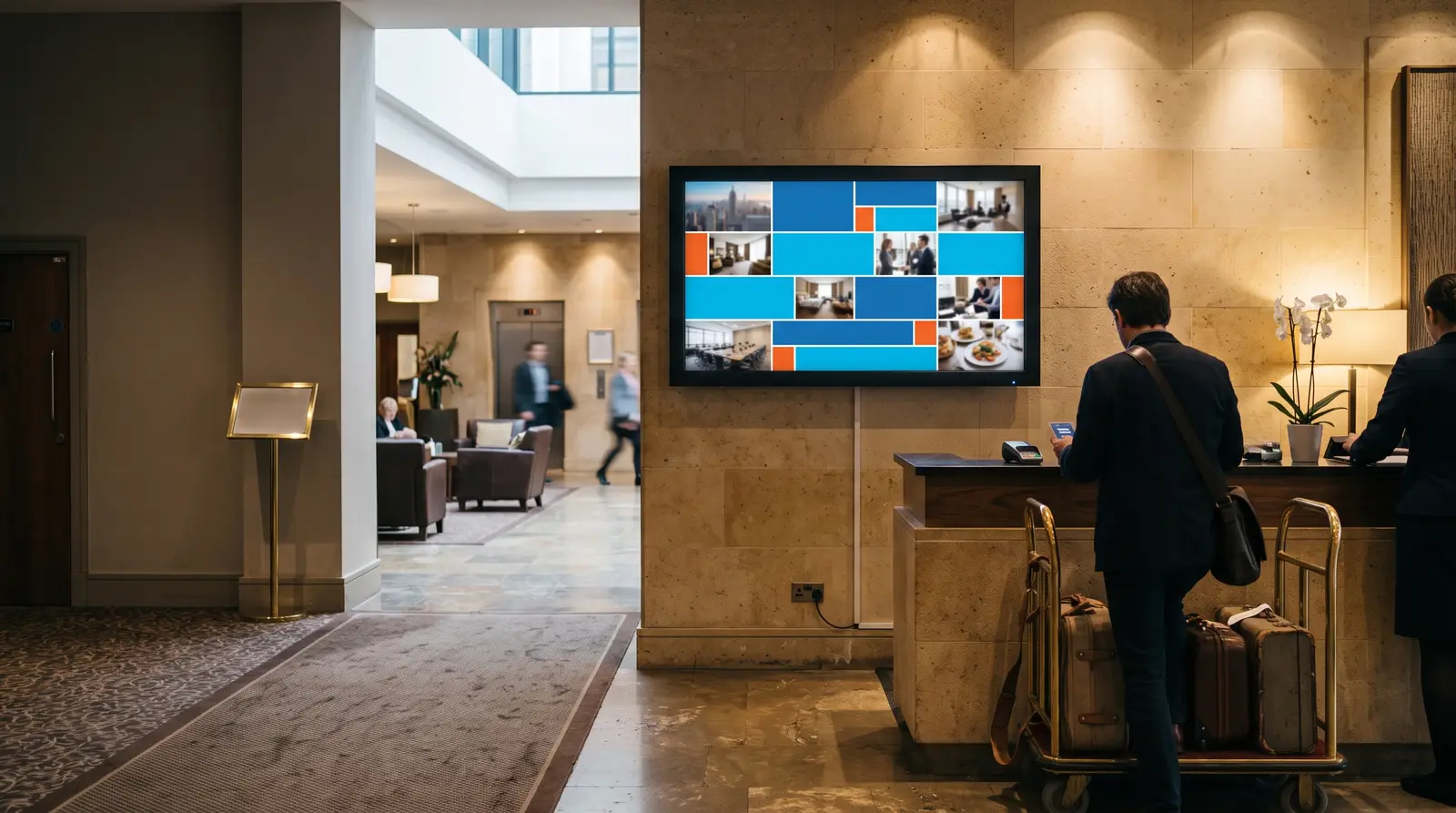
What hotels get from CloudyFy TV
Ways hotel signage powers your property
What is hotel digital signage? It is a set of networked screens in your lobby, restaurant, bar and meeting rooms, all designed and updated from one browser dashboard instead of a stack of printed cards and A-frame signs.
Built for every type of hospitality property
Boutique hotels and B&Bs
A handful of screens for the lobby and breakfast room, all on the Starter plan, with no dedicated IT staff required to run them.
Resort and spa properties
Lobby, spa reception, multiple restaurants and pool-bar screens on one account, each grouped so a spa promotion never appears on a pool-bar menu board by mistake.
Business and conference hotels
Meeting-room schedule boards alongside lobby and restaurant signage, updated by the events team the moment a booking changes.
Multi-property hotel groups
Manage every property's screens from one login, grouped by location, with brand-wide campaigns reaching every property in a single publish.
Restaurants and bars operating inside a hotel
Menu boards that update independently of the lobby content, so an F&B manager does not need lobby-content permissions to change a price.
Before CloudyFy TV, and after
The daily friction of running hotel signage the old way is not one big problem; it is five small ones that repeat every week across every property.
| Capability | Without digital signage | With CloudyFy TV (CloudyFy TV) |
|---|---|---|
Menu changes | Laminated table tents and A-frame menus reprinted every time a price changes | Menu boards update across every dining outlet as soon as you edit the layout |
Banquet bookings | A whiteboard outside the ballroom, updated by hand between bookings | Banquet schedule boards that your events team can update from any device, the moment a booking changes |
Schedule changes | A front-desk agent walking the floor to announce a schedule change | A published layout reaches every screen, with a green, amber, or red readiness check before it goes live |
Fixing a stuck screen | A general manager driving between properties to fix a screen | Remote app restart, cache clear and screenshot from one dashboard, for any property |
Wi-Fi drops | A stuck screen going dark when hotel Wi-Fi drops | Offline-first playback keeps showing the last published content from local cache until the network returns |
Menu changes
- Without digital signage
- Laminated table tents and A-frame menus reprinted every time a price changes
- With CloudyFy TV
- Menu boards update across every dining outlet as soon as you edit the layout
Banquet bookings
- Without digital signage
- A whiteboard outside the ballroom, updated by hand between bookings
- With CloudyFy TV
- Banquet schedule boards that your events team can update from any device, the moment a booking changes
Schedule changes
- Without digital signage
- A front-desk agent walking the floor to announce a schedule change
- With CloudyFy TV
- A published layout reaches every screen, with a green, amber, or red readiness check before it goes live
Fixing a stuck screen
- Without digital signage
- A general manager driving between properties to fix a screen
- With CloudyFy TV
- Remote app restart, cache clear and screenshot from one dashboard, for any property
Wi-Fi drops
- Without digital signage
- A stuck screen going dark when hotel Wi-Fi drops
- With CloudyFy TV
- Offline-first playback keeps showing the last published content from local cache until the network returns
Why hospitality operators choose a cloud platform
What the research shows
Digital signage is a well-established category in the hospitality industry. MarketsandMarkets projects the digital signage market to grow from $21.45B in 2025 to $28.88B by 2030, at a 6.1% compound annual growth rate. For a hotel, the case is concrete rather than abstract: fewer print runs when a menu or room rate changes, one dashboard instead of separate remotes for each outlet, and screens that keep playing through the intermittent connectivity that can affect older hotel buildings.
Sized for a single hotel
Consider a 60-key boutique hotel with a lobby, an in-house restaurant, a bar, and three small meeting rooms. That is six screens, comfortably within the Starter plan’s 25-device ceiling, and six devices at ₹550 or $7$7 or ₹550 per device a month cost ₹3,300 or $42$42 or ₹3,300 a month. The general manager can design the welcome board and restaurant menus once, schedule the bar’s happy-hour pricing to switch automatically, and give the events coordinator access to meeting-room screens so they can update them from a phone browser between bookings. No IT contractor visit is required to add a seventh screen when the hotel opens a rooftop bar.
Sized for a multi-property group
The same approach works for a multi-property group. A ten-property boutique chain averaging six screens per property runs 60 devices in total, which fits within Pro’s 100-device ceiling. At ₹1,500 or $20$20 or ₹1,500 per device a month, 60 devices cost ₹90,000 or $1,200$1,200 or ₹90,000 a month, leaving room to add more properties. Device groups keep each property’s welcome board, menu content and meeting-room schedules separate, while a brand-wide seasonal promotion can still reach every property in one publish.
How it works
Design your layouts
Build welcome boards, menus, and schedule screens in the browser canvas, starting from the catalogue of 93 templates or creating a layout from scratch with 36 block types.Publish across every property
The publish wizard walks through Content, Screens, Schedule, and Review, with a green, amber, or red readiness check for each screen so you know its status before publishing.Screens keep playing
Content is cached locally and screens play offline-first, so a Wi-Fi drop in the ballroom or a router reboot at the front desk does not put a screen dark.
Works with the tools your hotel already uses
- LiveContent Creation
YouTube
Loop a property tour or a promotional reel from a YouTube link straight into a layout, without exporting or re-uploading the video file anywhere.
- LiveContent Creation
Google Slides
Turn a marketing team's existing event or promotion deck into a rotating lobby screen without redesigning it, so the same content prepared for print can also be displayed on screen.
- LiveData and KPI
Web page
Embed a live page, such as a booking page or local attractions site, directly into a layout block alongside the rest of the lobby's content.
Layout templates for hospitality
Start with the shared catalogue of 93 layout templates instead of a blank canvas, including welcome and lobby-branding layouts, restaurant and bar menu boards, meeting-room schedule boards, and promotional layouts for seasonal packages. Every template opens in the same block-based canvas, so a template is a starting point rather than a limitation. A property that wants a fully custom look can modify the template and rebuild the branding from scratch, while a property that needs content on screen quickly can publish a template with minimal changes.
Why hospitality teams choose CloudyFy TV
Simple per-device pricing
Every device on the Starter plan is billed at the same rate of ₹550 or $7$7 or ₹550 per device a month, giving a growing portfolio predictable costs instead of requiring a new contract for each property.
Offline-first playback
Screens keep playing from local cache through connectivity dips common in older hotel buildings and resync automatically once the network returns.
Multi-property device groups
Pair, group, and manage every screen across every property from one login, with remote app restart, cache clearing, and screenshots, so a front-desk manager never has to physically visit a stuck screen.
Kiosk lock with a staff PIN
Lock a lobby screen to signage content only, with a server-issued PIN so only authorized staff can exit it, keeping guests and casual passers-by from reaching the underlying device.
Support while you set up
Every trial includes the full publish wizard, layout canvas, and template catalogue, so your team can design and publish its first lobby and restaurant screens before the 7-day trial ends. Most properties start with the welcome board and one menu board, confirm both look right in daylight and at night, then add meeting-room and bar screens once the first two are running smoothly.
FAQs
Put your first hotel screen live this week
Start a 7-day free trial on the plan that matches your property, with no commitment required.