

Cloud digital signage, explained
Cloud digital signage means the software that drives your screens runs as a hosted service instead of on a machine you own. This page covers what that changes, where the model is genuinely better, and where it is not.
7-day free trial of the plan you choose, Starter by default. No commitment.
What is cloud digital signage?
- Cloud digital signage
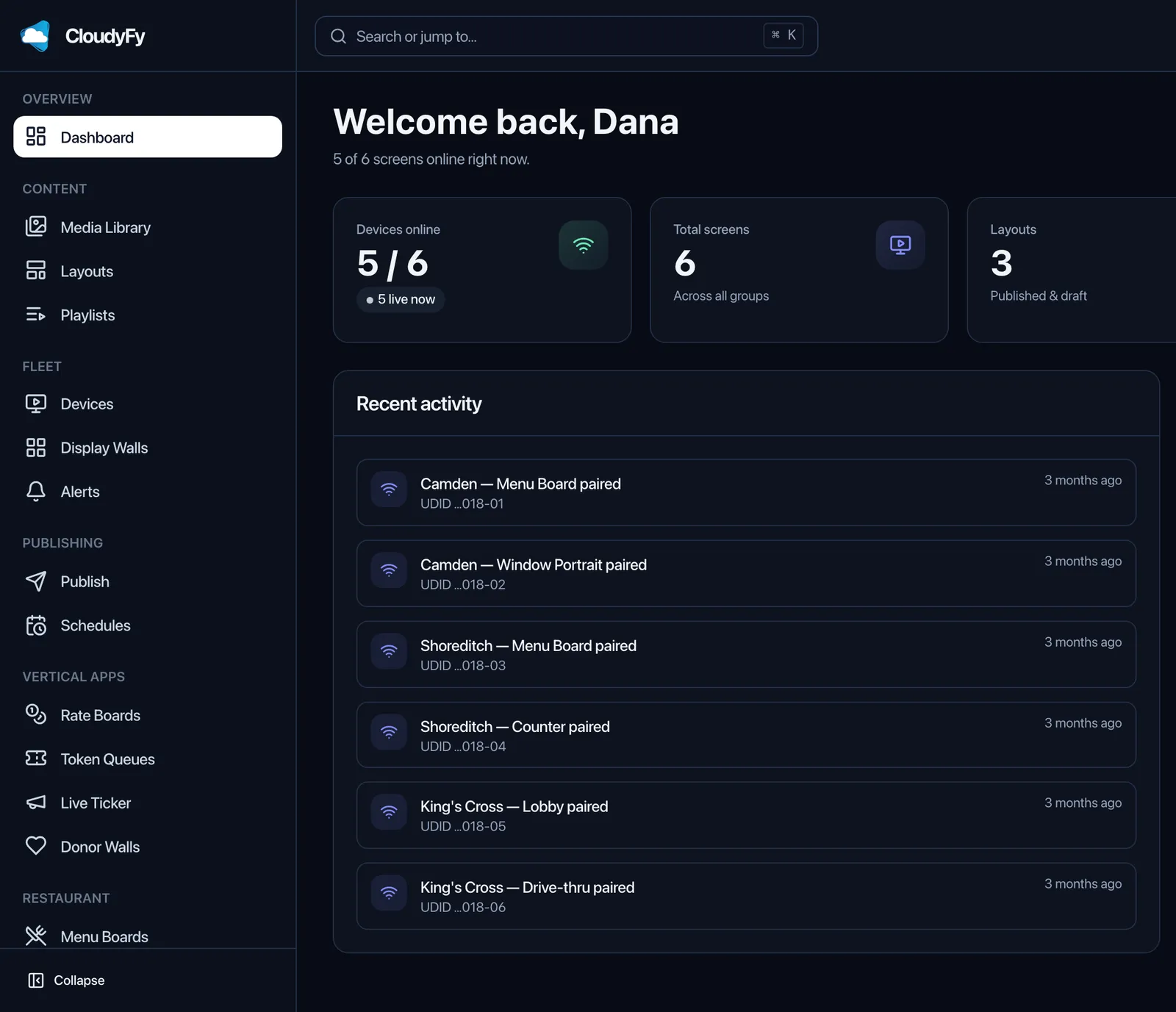
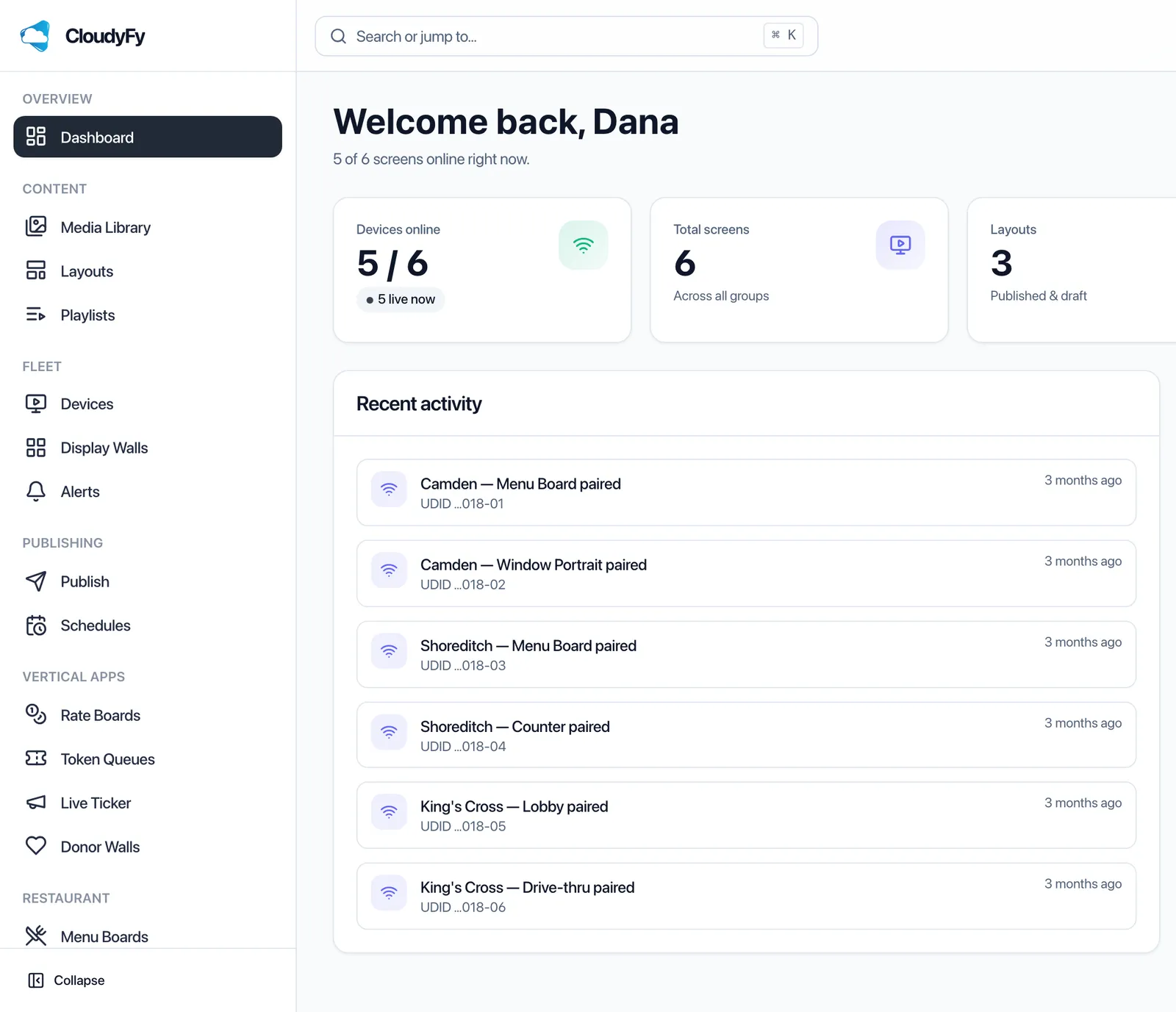
- Cloud digital signage is signage software that runs as a hosted service. The content management system lives on the vendor's servers, you sign in from any browser to design and schedule content, and each screen runs a small player app that pulls its content over the internet. Nothing is installed on your own servers.
Cloud, self-hosted, or a stick in the TV: which model should you choose?
Choose cloud when screens sit in more than one building and no one is paid to maintain a server. Choose self-hosted when policy forbids content leaving your network and you have staff to run it. Choose a USB stick only for a single screen whose content almost never changes.
| What you need | Cloud service (CloudyFy TV) | Self-hosted CMS | USB stick or file share |
|---|---|---|---|
Where the CMS runs | Vendor's servers, reached from a browser | A server you own and patch | Nowhere. There is no CMS |
Cost to begin | A subscription. CloudyFy TV starts at ₹550 or $7$7 or ₹550 a month for the company, before GST in India | Free software is available, for example Xibo under the AGPL, but the server, storage and admin time are yours | The cost of the stick |
Multi-site control | Built in. One CMS, every site | Yes, once you have exposed it securely to every site | None |
Scheduling and dayparting | Built in | Built in | None |
Remote recovery of a frozen screen | Restart, refresh, clear cache and screenshot from the CMS | Depends on the player software you pair with it | Someone drives to the site |
Proof that content played | Play records per device and per layout | Varies by product and retention tier | None |
Software updates and security patches | Vendor's job | Yours, on your schedule | Not applicable |
Behavior when the link drops | Depends entirely on the player. CloudyFy TV players cache and keep playing | Same question, same answer: it depends on the player | Unaffected, because nothing was connected anyway |
Realistic failure mode | The vendor's service or your internet has a bad day | An unpatched server, an expired certificate, a database nobody backed up | A screen quietly shows the same poster for six months |
Cloud service
- Where the CMS runs
- Vendor's servers, reached from a browser
- Cost to begin
- A subscription. CloudyFy TV starts at ₹550 or $7$7 or ₹550 a month for the company, before GST in India
- Multi-site control
- Built in. One CMS, every site
- Scheduling and dayparting
- Built in
- Remote recovery of a frozen screen
- Restart, refresh, clear cache and screenshot from the CMS
- Proof that content played
- Play records per device and per layout
- Software updates and security patches
- Vendor's job
- Behavior when the link drops
- Depends entirely on the player. CloudyFy TV players cache and keep playing
- Realistic failure mode
- The vendor's service or your internet has a bad day
Self-hosted CMS
- Where the CMS runs
- A server you own and patch
- Cost to begin
- Free software is available, for example Xibo under the AGPL, but the server, storage and admin time are yours
- Multi-site control
- Yes, once you have exposed it securely to every site
- Scheduling and dayparting
- Built in
- Remote recovery of a frozen screen
- Depends on the player software you pair with it
- Proof that content played
- Varies by product and retention tier
- Software updates and security patches
- Yours, on your schedule
- Behavior when the link drops
- Same question, same answer: it depends on the player
- Realistic failure mode
- An unpatched server, an expired certificate, a database nobody backed up
USB stick or file share
- Where the CMS runs
- Nowhere. There is no CMS
- Cost to begin
- The cost of the stick
- Multi-site control
- None
- Scheduling and dayparting
- None
- Remote recovery of a frozen screen
- Someone drives to the site
- Proof that content played
- None
- Software updates and security patches
- Not applicable
- Behavior when the link drops
- Unaffected, because nothing was connected anyway
- Realistic failure mode
- A screen quietly shows the same poster for six months
How large is the digital signage market, and is it still growing?
It is growing, at high single digits, and two research firms with different scopes both say so. Presenting them separately rather than blending them is deliberate: their definitions of the market differ by roughly 50%, so an average of the two would be a number nobody published.
What matters for a buyer is not the headline number but the direction of the hardware underneath it: signage-capable panels with Tizen and webOS built in are now ordinary retail stock, which is why a cloud service that runs directly on the panel, with no external player at all, has become a realistic option rather than an enterprise one.
The three moving parts
Every cloud signage system, CloudyFy TV included, is the same three parts in the same order.
The CMS in your browser
Where content is designed, scheduled and assigned to screens. It is a website, so it updates for everyone at once and there is no version of it to install.
The player app on each screen
A small application on an Android TV box, a Fire TV stick, a tablet, or built into a Samsung Tizen or LG webOS panel. It authenticates once with a pairing code and then asks the service what it should be showing.
The delivery layer in between
This is where cloud systems differ most. CloudyFy TV compiles a per-device manifest of content-addressed files, so each screen downloads only the bytes it does not already hold, and sends commands and live values over MQTT so a changed price or an alert lands in about a second rather than at the next poll.
That third part is what separates a signage service from a file-sharing folder. A screen is not asked to fetch a folder; it is told precisely what it should be playing, and it reports back what it did.
Cloud signage suits an organization with screens in more than one room, a person who changes content more than once a month, and nobody whose job description includes patching a server. It suits a single cafe with one menu screen too, because the same three parts cost the same to run whether you have one screen or twenty. Where it fits badly is a site with no reliable network at all and content that never changes, which is a poster, not a signage problem.

The honest version of the trade: cloud removes an operations job and adds a dependency. If your objection to cloud is what happens when the internet fails, the answer is not the hosting model but the player, and it is worth asking any vendor exactly what their screen does at minute five of an outage. On CloudyFy TV the screen plays from its local cache and resyncs when the link returns. Read the detail on offline playback.
The second question worth asking any cloud vendor is how you leave. Media you uploaded is yours and can be downloaded again; layouts, being a vendor-specific document format, are the part that does not travel. So the practical test of lock-in is not whether an export button exists, it is how many layouts you would have to rebuild and how long that took the last person who did it. Ask for that number, from CloudyFy TV and from every vendor on your shortlist, before the contract rather than after.
What to check before you sign up for a cloud signage service
Seven questions, in the order they usually bite. Each one links to where CloudyFy TV answers it, so you can hold the same questions up against any other vendor.
Seven questions to ask any vendor
Is the price per device, and at what rate?
Most of the category also charges per screen per month, so the number that matters is the rate, not the shape of the bill. CloudyFy TV is priced per device a month: ₹550 or $7$7 or ₹550 on Starter, ₹1,000 or $12$12 or ₹1,000 on Standard and ₹1,500 or $20$20 or ₹1,500 on Pro, each with its own device ceiling, 25, 50 or 100, and no charge per user.
Learn the rest, in order
Five chapters take this from a definition to a working screen. Read them in sequence if you are new to the category, or jump to the one that matches your open question.
- 01What is digital signage?The category itself: what counts as digital signage, what it replaces, and the vocabulary vendors use.Read the chapter
- 02How does digital signage work?The path from a file on your laptop to pixels on a wall, step by step.Read the chapter
- 03Digital signage hardware explainedPlayers, panels, duty cycles, mounting and the difference between a consumer TV and a commercial display.Read the chapter
- 04What digital signage costsHardware, software and installation, and why CloudyFy TV's per-device rate still comes out lower than the per-screen model most vendors quote.Read the chapter
- 05How to turn a TV into digital signageThe practical build, with the three device paths CloudyFy TV actually supports.Read the chapter
FAQs
Start with one screen
The cheapest way to evaluate a cloud signage service is to run one real screen in a real location for two weeks, with content someone actually has to change mid-week. That is what the trial is for.